Getting started
Native VM documentation
Native VM is a desktop app that provisions, deploys and operates apps on your own Linux servers, over SSH only. The app on your computer is the control plane: nothing is installed on the server to run a panel, and nothing listens on a port.
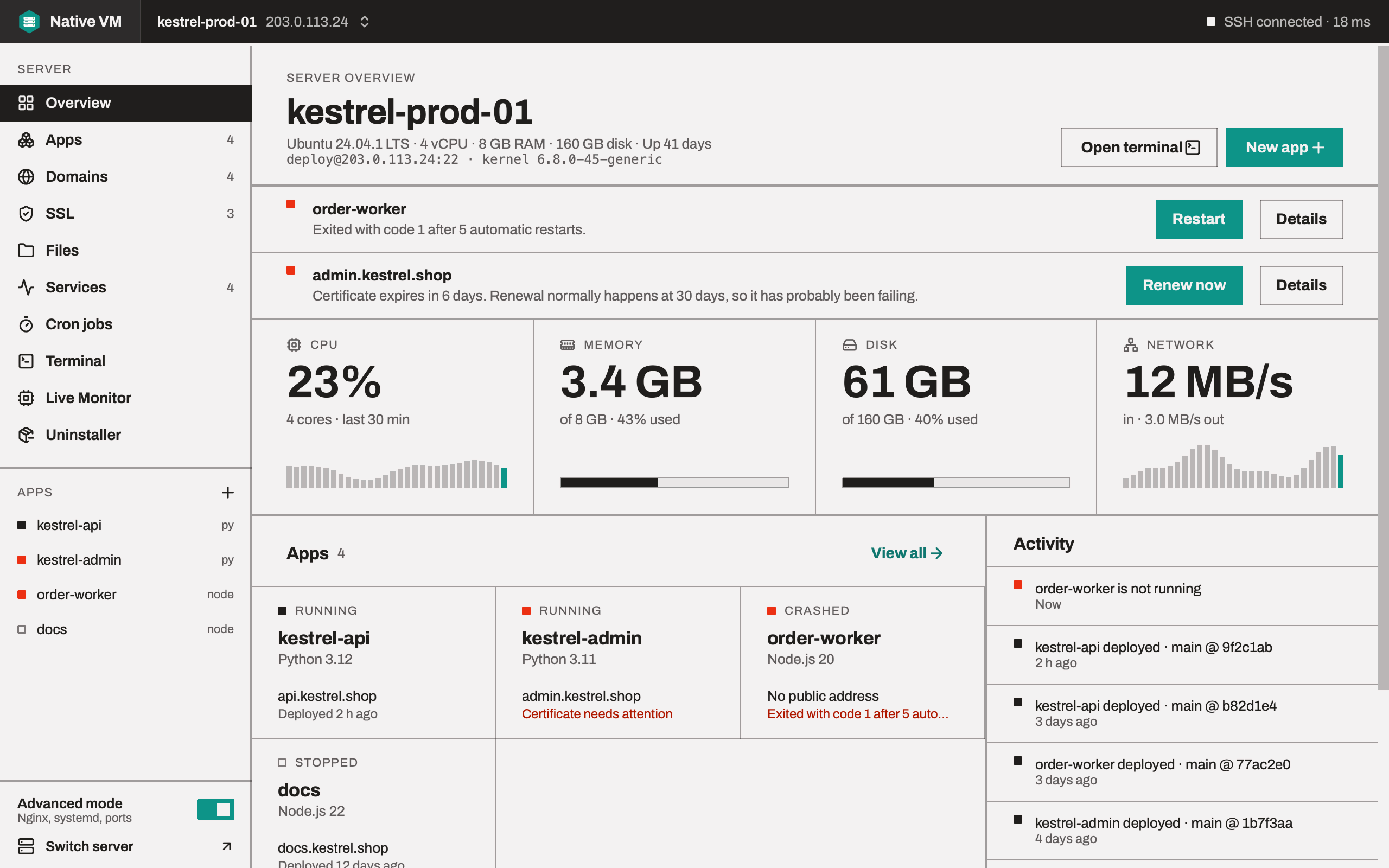
Think of it as a hosting control panel that lives on your laptop instead of on the server. You connect a bare Ubuntu or Debian VPS, and Native VM gives you its apps, domains, certificates, services, cron jobs, files, live metrics and a terminal, in one window per server.
kestrel-prod-01 · Overview
How it works
- One SSH connection per server. Terminal tabs, file transfers, log streams and every action share it. Native VM reconnects on its own after a drop, and never retries an action whose outcome it can't know.
- One helper file on the server. Privileged work goes through a single, reviewable script at
/usr/local/lib/nativevm/agent-<sha256>.py, readable only by root. It is run for the length of one action, reads JSON and writes JSON, and exits. There is no daemon, no timer and no open port. - The server is the source of truth. Native VM reads a file again before it changes it, shows you the change as a diff, and refuses to write if the server's copy moved in the meantime.
- Your apps don't depend on the app. They run under systemd and restart themselves, and certificates renew from a timer on the server. Closing Native VM, or switching off your laptop, changes nothing on the server.
What you can do with it
- Connect servers by password or SSH key, through jump hosts, or import them all
from
~/.ssh/config. - Create apps in Django, FastAPI, Flask, Express, Next.js, Node.js, Go, ASP.NET Core, Spring Boot or as a static site, from Git or a folder on your computer.
- Deploy and roll back with release-based deploys that check the app answers before they count, and put the previous release back when it doesn't.
- Give apps domains and HTTPS with Let's Encrypt, checked against DNS before anything is asked of the certificate authority.
- Operate the server: live metrics, services and logs, cron jobs, a file manager, terminals and an uninstaller.
What you need
| For | You need |
|---|---|
| Your computer | macOS 15 or later on Apple silicon, Windows 10 or 11 (64-bit), or Ubuntu 22.04, 24.04 or Debian 12. Every build is a beta. An internet connection when the app starts, to check your plan. |
| Your account | A Native VM account from toolxbd.com. The free plan covers two servers. See Account and plans. |
| Your servers | Ubuntu 22.04 LTS, Ubuntu 24.04 LTS or Debian 12, with SSH access as root with a key, or as a user with a password-less sudo rule. |
What it deliberately doesn't do
Some things are out of scope by design, not missing from a backlog:
- Email hosting. Mail servers can be configured over SSH, but deliverability can't be fixed by tooling. Use a relay service.
- PHP. Native VM runs Node.js, Python, Go, .NET and Java apps.
- Domain registration or transfer. Buy domains from a registrar, then point them at your server.
- Logins for your customers. A desktop app can't issue web logins; it is a tool for you.
- Monitoring while it's closed. History begins when you connect. Native VM says so on screen rather than implying otherwise.
- Red Hat, Rocky and Alma Linux. These come later, once the distribution support has proven itself.