Domains and HTTPS
Domains and preview ports
Every app can have a custom domain, a preview port, or no public address. Native VM writes the nginx site for it, and never changes nginx without testing the change and keeping a way back.
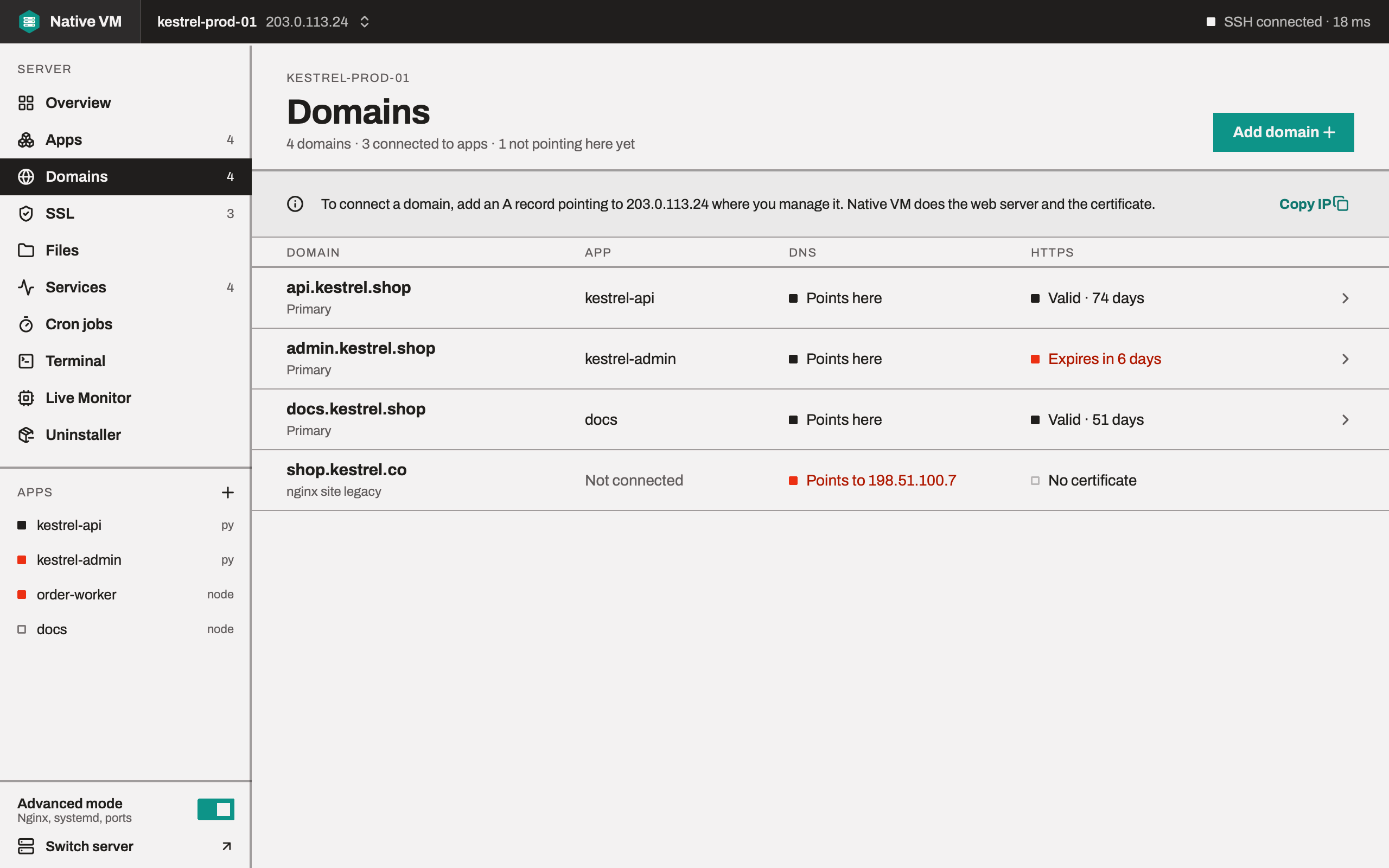
A custom domain
Choose Custom domain in the wizard's Domain step, or Add domain on an app's Domain tab. Then add the record Native VM shows where you manage the domain:
- A record: the domain points at the server's address. This always works, and is the only choice
for a domain's root, such as
example.comitself, which can't hold a CNAME. - CNAME: the domain points at the server's host name. Offered when you added the server by name.
Switch between them with the A record | CNAME control on the wizard, the app's Domain tab or the Domains page. Native VM remembers the choice for each server.
Checking DNS from the server
Native VM checks a domain from the server, with the server's own resolver, against the addresses the server answers on. What matters isn't what your laptop's resolver thinks: it's whether the name points at the machine that will have to answer for it. When it does, you see Record found.
A cloud server behind NAT doesn't know its own public address, but Native VM does: it's the address it connected to. So a domain pointed at a cloud VM's public IP is recognised even though the VM only sees its private one.
Preview with port
Preview with port needs no DNS. Native VM picks a free public port on the server, from 8080 up,
and writes an nginx site that listens on it, so the app answers at http://<server address>:<port>
straight away.
- It's plain HTTP, always. A certificate is issued to a name, and Let's Encrypt only checks port 80, so there's no HTTPS for a preview.
- ufw is opened for it. Ubuntu's firewall denies inbound connections by default, so Native VM adds an allow rule for the port, with a comment naming the app. It does nothing when ufw is off or already allows the port, and only ever removes a rule carrying its own comment.
- Your provider's firewall is checked from your laptop. A cloud firewall or security group can't be seen over SSH, so Native VM tries to connect to the port from your computer. If that fails, it tells you to add an inbound rule for that TCP port at your provider.
The app's Domain tab has Open port to run the firewall step again on its own.
No public address
For workers, queues and anything reached another way. The app runs under systemd like any other, with no nginx site. You can give it a domain later with Edit app.
How nginx is changed
Changing nginx is where a typo takes a site off the internet, so there is exactly one way Native VM does it, carried out on the server so that a dropped connection can't interrupt it halfway:
- Record what's there now, including which files and links don't exist yet.
- Make the change.
- Run
nginx -t. If the test fails, put everything back and show nginx's own words. - Reload nginx, then check it's still running. If it isn't, put everything back and bring nginx up on the old config.
Only two outcomes exist: applied and reloaded, or the server exactly as it was. Writing, enabling, disabling, deleting and rolling back a site all go through it, and nothing reloads nginx without testing first.
When nginx says no, its output is shown verbatim, because it names the file, the line and the reason:
nginx: [emerg] invalid parameter "listen" in /etc/nginx/sites-enabled/app.example.com:5
nginx: configuration file /etc/nginx/nginx.conf test failed
and the dialog tells you the server was left exactly as it was.
Nothing is applied without a diff
Every site change is planned first, and the plan carries a diff and the file's checksum. If the site changed on the server between the diff and your confirmation, the change is refused rather than overwriting someone else's edit.
The sites Native VM writes
Four kinds, written on your computer from templates and sent as finished text: a static site, a
single-page app, a reverse proxy to a port, and a reverse proxy to a unix socket. Each
can redirect HTTP to HTTPS, compress responses and set the largest upload size. Values are checked
before they're written: in nginx, example.com; root /etc isn't an odd name, it's a second
directive, so it's refused.
Debian and Ubuntu keep sites in sites-available and enable them with a link from sites-enabled;
Native VM follows whichever layout the server uses.