Domains and HTTPS
SSL certificates
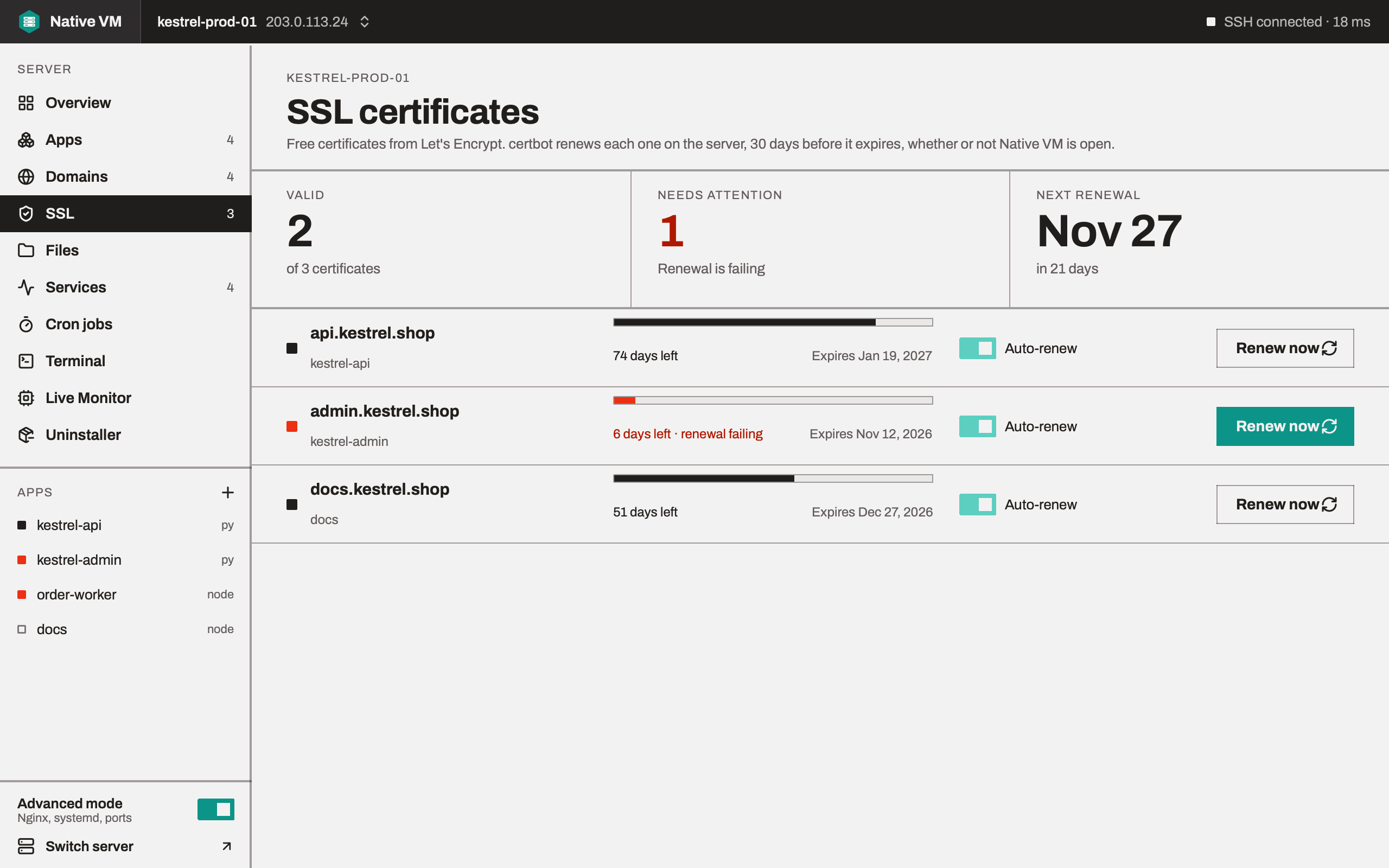
Native VM issues free Let's Encrypt certificates once your domain really points at the server, installs renewal on the server itself, and warns you long before anything expires.
Turning on HTTPS
HTTPS comes after an app's first deploy, once it's live and its domain points at the server. The launch banner's Set up HTTPS opens the app's SSL tab, where Native VM:
- checks from the server that the domain points at it,
- asks Let's Encrypt for a certificate,
- switches the app's nginx site to HTTPS, shown to you as a diff first.
Native VM uses certbot, which Ubuntu and Debian package, and acme.sh where that's what the server has. certbot is installed the first time you turn on HTTPS.
The DNS check comes first
Let's Encrypt allows five failed attempts per domain, per account, per hour. The most common failure is asking for a certificate for a name that doesn't point at the server yet: it's still on the old host, a CDN is in front of it, or there's a typo. Finding that out from Let's Encrypt costs one of the five. Finding it out from a DNS lookup costs nothing, so that's what happens first, every time:
NO  example.com: resolves to 104.20.23.154, 172.66.147.243, which is not this server

example.com does not point at this server. Asking Let's Encrypt anyway would fail
and use up one of five attempts per hour for that name, so nothing was sent.
The lookup runs on the server, with its own resolver. See Checking DNS from the server.
Renewal runs on the server
A certificate renewed by a desktop app would expire the first fortnight nobody opened it. So issuing a certificate makes sure a systemd timer on the server renews it, and the SSL page reports that timer rather than a switch of its own:
Renewal runs on the server: nativevm-certbot-renew.timer is enabled and running,
next run Mon 2026-09-21 03:00:00 UTC. This app does not need to be open, and this
laptop does not need to be switched on.
- A timer your distribution already ships,
certbot.timeror the snap's, is preferred and left alone. - Native VM's own timer is installed only when there's none. It runs twice a day with a random delay of up to an hour, so everyone doesn't renew on the hour, and catches up after the server was switched off.
Expiry
Certificates are marked amber under 21 days and red under 7. Let's Encrypt renews at 30 days, so a certificate at 20 days means renewal has already failed twice and nobody noticed: the number is the alarm, and the date is the detail.
Certificates close to expiry also appear under Needs attention on the Overview, with Renew now beside them, because a certificate quietly running out is the outage nobody is watching for.
A staging certificate is marked as such wherever it appears. It looks exactly like a real one, and no browser will trust it.
When certbot fails
certbot's errors are only diagnosable from certbot's own words: they name the domain, the challenge and what the certificate authority actually said. So Native VM streams certbot's output while it works, and a failed issue or renewal shows the end of it verbatim.
Deleting certificates
Certificates are deleted when an app no longer needs them: when you remove the app, move it to another domain, or turn its HTTPS off. They're deleted with certbot, not revoked, so nothing is asked of Let's Encrypt and no rate limit is spent. A certificate that still covers a name another app serves is kept, and none is deleted while nginx still uses its files.