Operating a server
Cron jobs
You write a cron schedule and a command. Native VM turns it into a systemd timer, which can say what cron can't: whether the job is on, when it runs next, how its last run ended, and what it printed.
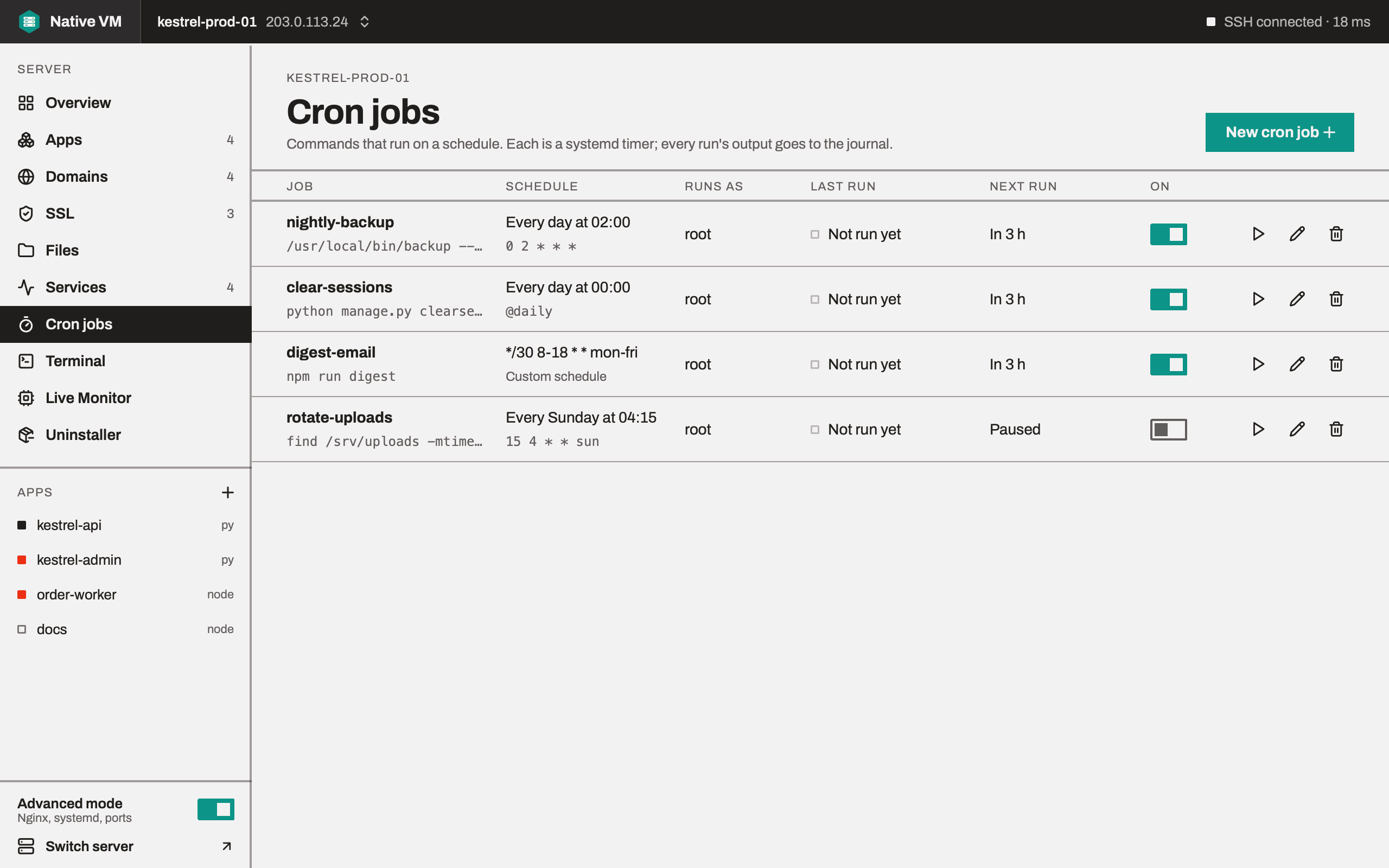
Creating a job
Choose New cron job on the Cron jobs page. A job is three things:
- A schedule, written as cron writes it, or picked from a preset.
- A command, as you'd type it in a shell.
- Who runs it: an app, root, or the account Native VM signs in as.
The editor's second page shows both files Native VM will write as one diff against the server. Nothing is written until you save.
Schedules
Write the five cron fields, minute hour day-of-month month day-of-week, or a shortcut such as
@daily:
| Schedule | Runs |
|---|---|
*/5 * * * * | Every 5 minutes |
0 2 * * * | Every day at 02:00 |
*/30 8-18 * * mon-fri | On the hour and half past, from 08:00 to 18:30, on weekdays |
15 4 * * sun | Every Sunday at 04:15 |
@daily | Every day at midnight |
Names such as mon and jan, ranges, steps, and 7 for Sunday all work. Cron's one surprise is
kept: when both the day of the month and the day of the week are restricted, a day matching either
runs the job.
@rebootis refused: a job that runs at boot is a service.- Times are the server's time zone.
- Each schedule is checked with systemd itself before it's saved, because a timer whose calendar systemd can't read still loads, and then never fires.
- Jobs start on the second, not up to a minute late, and a run still going when the next is due isn't started twice.
Who runs it
- An app: as the app's account, in its current release, with its
.envand its runtime first onPATH, and the app's own limits. Sopython manage.py clearsessionsornpm run digestbehave exactly as they do in the app. A Go app's own binary, and a .NET or Java app's runtime, are found the same way. - root, the default for a new job, from root's home directory, for maintenance that needs the whole machine.
- The account Native VM signs in as, from its home directory.
The command
The command is your shell text, run by /bin/sh -c exactly as cron runs it. It must be one line.
Native VM escapes what systemd would otherwise read itself, such as $, %, quotes and
backslashes, so the shell gets exactly what you typed: $(date +%F) works as it does in cron.
Running, pausing and editing
Each job's row has:
- an on/off switch: off pauses the timer and deletes nothing;
- Run now, which starts a run straight away, and Stop, for a run in progress;
- Edit, which is refused if the job's files changed on the server since you opened them;
- Delete, which stops the job and removes its two files, after copying them to
/var/backups/nativevm.
The list shows each job's schedule in words, who it runs as, its last run and how it ended, and its next run. A job whose app has since been removed is marked gone, because its runs will fail.
On the server
Each job is two units in /etc/systemd/system, side by side:
nativevm-cron-<name>.service    one run of the command
nativevm-cron-<name>.timer      starts it on the schedule
The timer keeps your schedule as written on its second line, # Schedule: */5 * * * *, which is how
a job is read back for editing. Native VM only ever deletes files that start with its own
# Managed by Native VM. line. A job's units are left out of the Services page: they belong to the
job.