Operating a server
Services and logs
The Services page lists the server's systemd services, starting with your apps'. Native VM reads
systemd's structured output, never the prose of systemctl status, so nothing it shows is a guess.
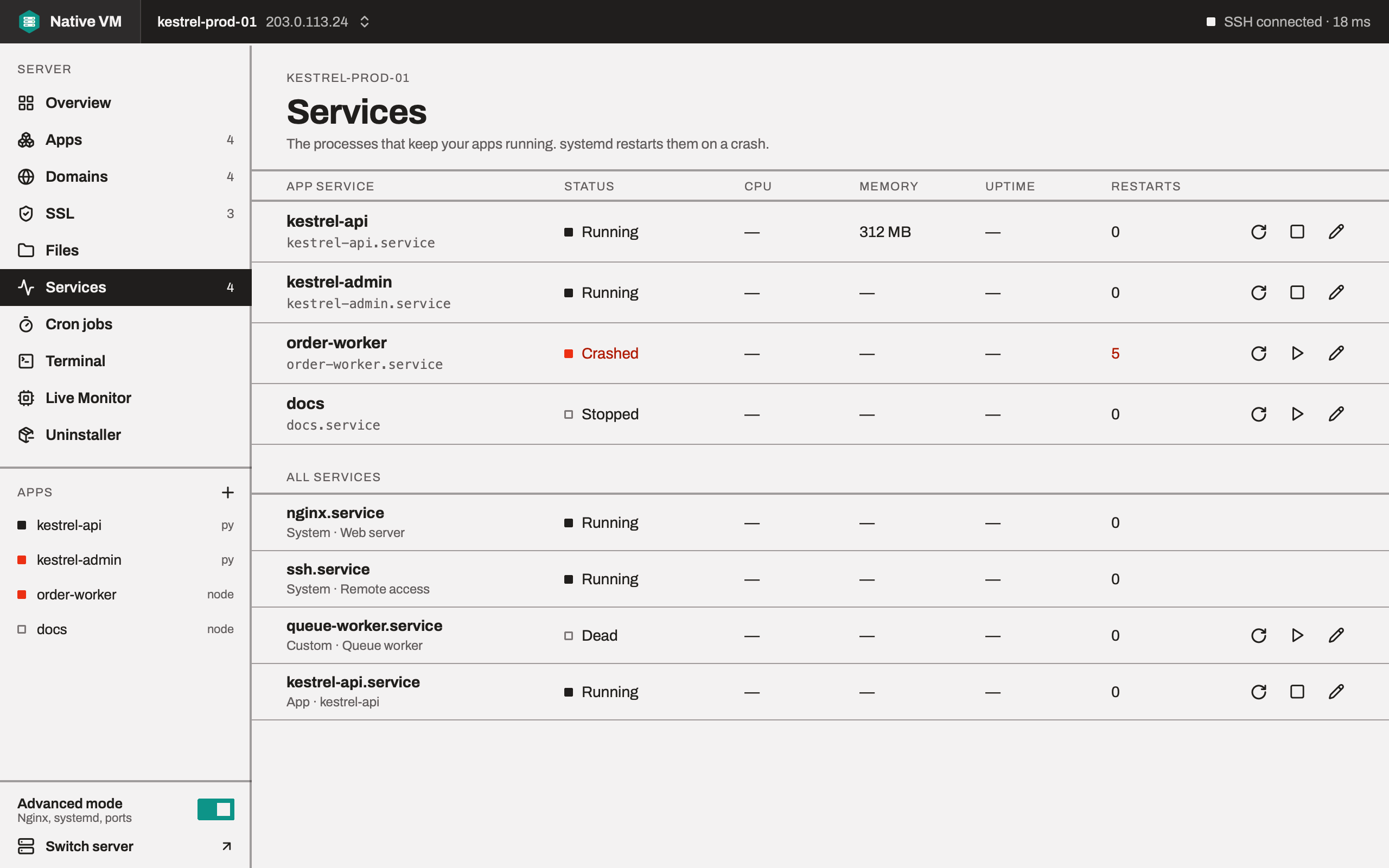
The services list
The page has two sections:
- App service: one row per app, with its state, memory, uptime and restarts, and buttons to restart, stop or start it.
- All services (Advanced mode): your apps' and your own custom services first, in any state, then the system services that are running, starting or failed. The hundred or so inactive system units nobody needs to see are left out.
Custom services
A custom service is one whose unit file you put in /etc/systemd/system yourself, such as a
queue worker. You can start, stop and restart it, and edit its unit file:
- The editor's Review change shows your edit as a diff against the server's file.
- The save is refused if the file changed since you opened it, or if it's a link.
- The original is copied to
/var/backups/nativevmfirst, the new file is written atomically, and systemd reloads its configuration.
The running service keeps its old settings until you restart it.
System services, the ones your distribution ships, have no buttons: they're the server's, not
yours. Neither do the services behind your SSH connection and the network, even when someone copied
one into /etc.
Following logs
An app's Overview tab follows its service's journal while the tab is showing, and stops when it isn't. Lines arrive in batches as they're written. Each record is read as structured data, so a message containing a line break or a colour code can never be mistaken for two records.
- Scrolling up pauses following, because a log that yanks you back to the bottom mid-read is worse than no tail at all. Scroll back down to resume.
- The pane holds the latest 20,000 lines.
When logs pour in faster than you can read
A busy server can write lines faster than any screen can draw them. Native VM keeps 5,000 records in memory, and when that fills it drops a quarter from the middle and leaves a marker in their place, drawn as N lines dropped. The newest lines are what you're watching and the oldest are the context you scrolled back for; the middle is what you can afford to lose.
The count is cumulative, so the number on screen is every line ever dropped. Nothing is lost silently, and the window stays responsive: in testing, with 120,000 lines pouring in, changing the filter redrew in 10 ms.